Free
A simple way to start organizing your team’s work.
Free
Free forever · No credit card required
- Up to 3 users
- Up to 5 tables
- 3,000 records across your organization
- 100 Automation Studio runs per month
- 1 GB file storage
Upload an Excel or CSV file—or choose a ready-made table. Then organize records, automate repeatable work, build reports, and share selected rows with clear access controls.
Free planNo credit card required
Excel and CSV files
Ready-made tables
Selected records
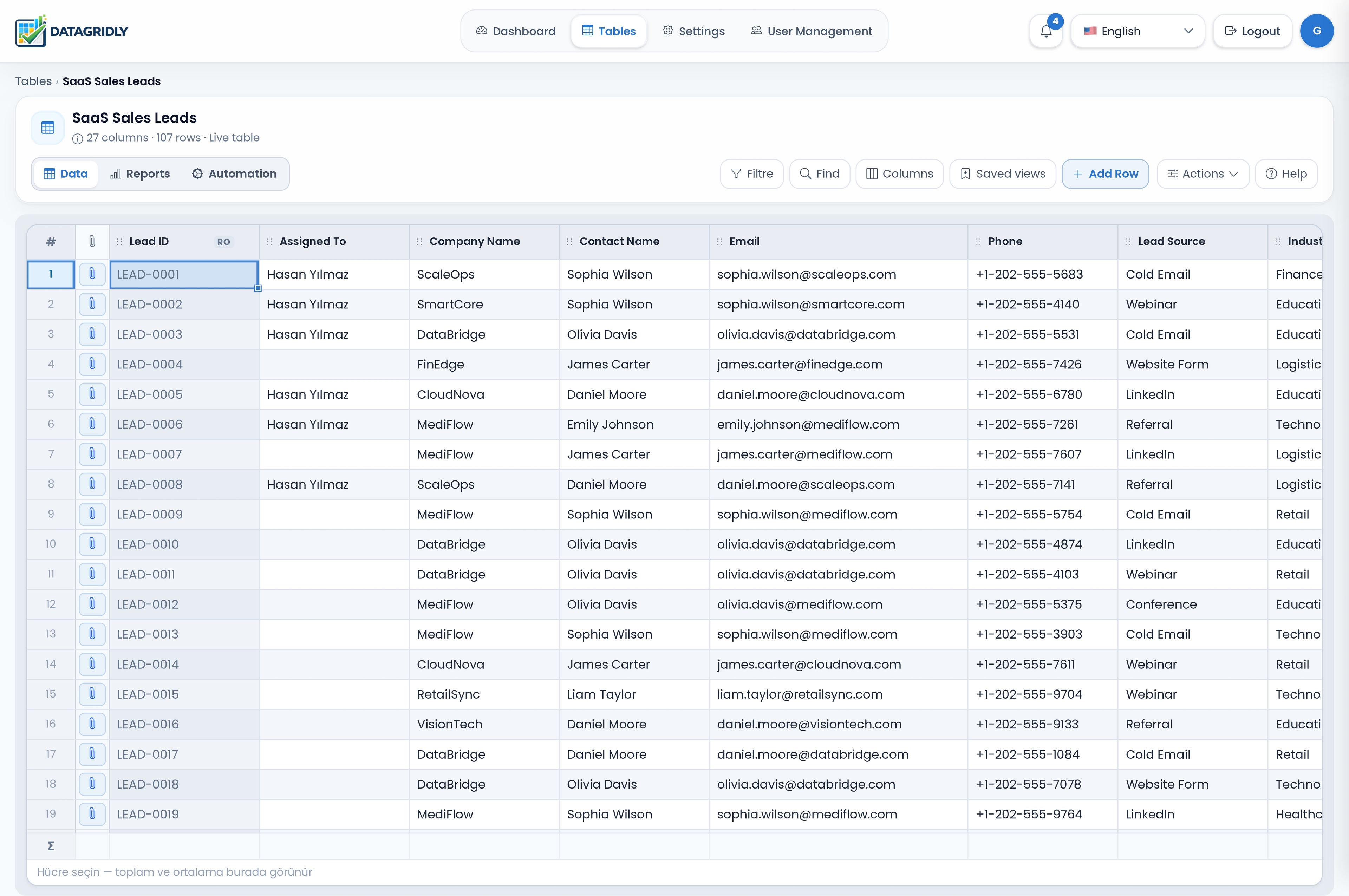
DataGridly helps teams replace disconnected spreadsheets with structured records, repeatable workflows, and reporting they can act on.
Build tables for the information your team manages, connect related records, and give everyone a shared view of progress.
Automations can respond to record changes and schedules, helping teams keep routine updates and notifications consistent.
Explore reports and dashboards built from the records your team updates in the workspace.
Start with a spreadsheet or ready-made table. Keep records, repeatable workflows, reports, and controlled sharing connected as your needs grow.
Import Excel or CSV data, or start with a ready-made table. Add fields, connected records, and views as you go.
Bring in customer lists, projects, inventory, requests, and other records without rebuilding them by hand.
Explore featureShare selected records and fields through a public link with expiry, one-time access, and download or print controls.
Send a customer only the project rows and columns they need to see.
Explore featureTrigger actions on row changes or on schedule to reduce repetitive admin work.
Notify an owner when a status changes or a due date is approaching.
Explore featureBuild reports from your workspace data, explore trends, and open matching records where supported.
Review open requests, project progress, or changes over time.
Explore featureImport a spreadsheet, choose a ready-made setup, or create a blank table. Organize and share the records first, then add automations and reports as your workflow grows.
Import Excel or CSV, choose a ready-made table, or start from scratch. Keep your existing information and shape it as your team learns what it needs.
Create a public link for selected rows and columns. Choose an expiry period or one-time access, and control Excel downloads and printing.
Add no-code rules for repeatable tasks, then use reports and dashboards to review progress from the same records.
Set rules for routine updates and notifications, then use reports and dashboards to review the same workspace records.
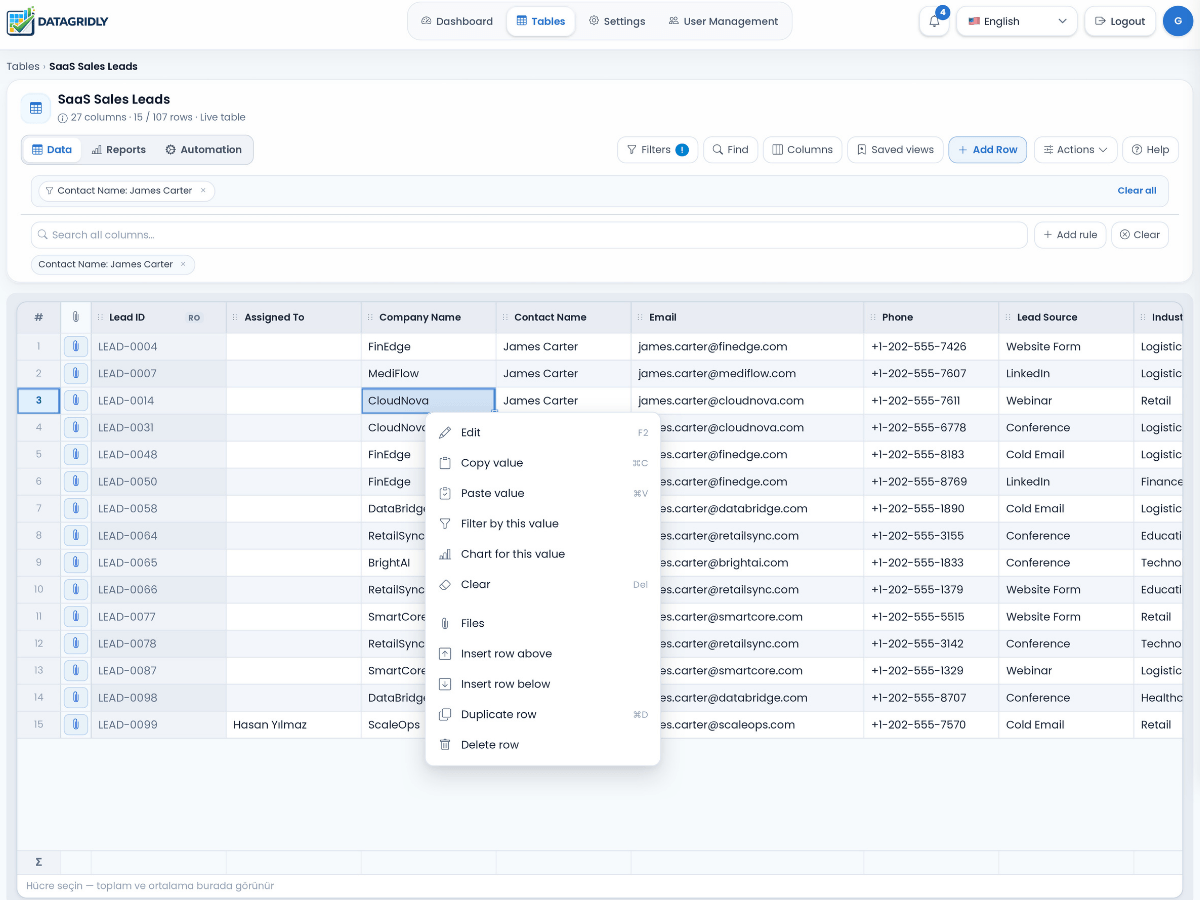
Build trackers and connected workflows for customers, projects, requests, assets, finance, and the processes your team relies on.
Coordinate jobs, field teams, customer records, and follow-ups in one operational system.
View use caseTrack preventive schedules, reactive issues, technicians, and closure quality with less manual coordination.
View use caseCentralize invoice tracking, approvals, due dates, and collection workflows with stronger visibility.
View use caseKeep field assignments, status, due dates, and operational reporting visible across distributed teams.
View use caseChoose the workspace size that fits today. Every plan includes tools to organize data, connect records, automate work, and understand results.
A simple way to start organizing your team’s work.
Free forever · No credit card required
For small teams organizing everyday work.
or $290 billed yearly
14-day trial · No credit card required
For growing teams bringing more workflows into one workspace.
or $790 billed yearly
14-day trial · No credit card required
For larger organizations planning a broader rollout.
Talk with us about your rollout.
Create a free workspace, shape it around a real process, and add more tables, automation, and insights as your needs grow.
Free plan · No credit card required