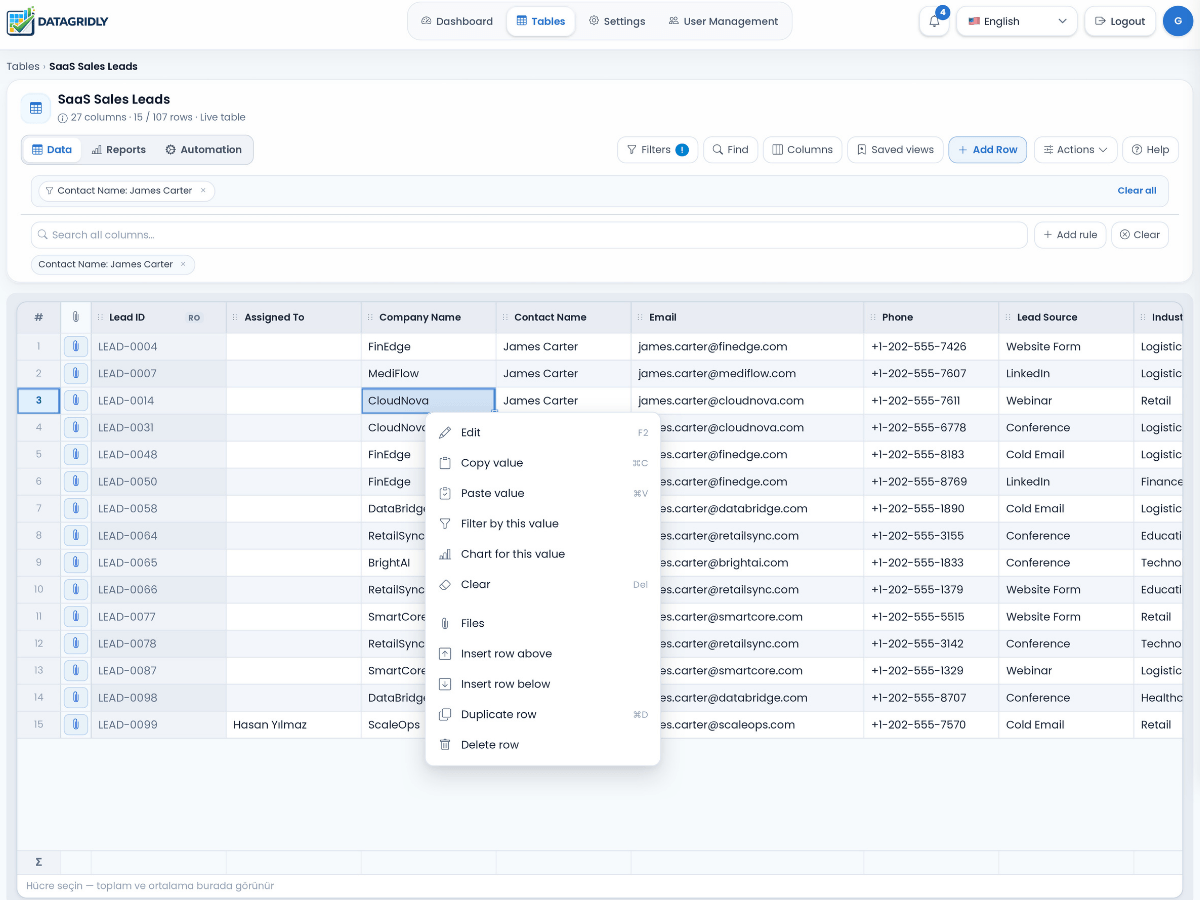
Core capabilitiesEverything you need to run smarter workflows
Each feature helps teams organize business data, reduce repetitive work, and make progress easier to see across the processes they manage.
Smart Table Creation
Start with a simple description of your workflow and generate a structured table, suggested columns, and a starting point you can adapt to your business.
- Faster setup for new users
- Column suggestions based on workflow needs
- Less friction when starting from zero
Explore this feature
Reports & Dashboards
Build KPI summaries, charts, filtered widgets, and reports from the table records your team maintains.
- Review progress and trends
- Filter reports by relevant fields and dates
- Open matching records where supported
Explore this feature
Automations
Create scheduled workflows or trigger actions when rows change so your system can update statuses, send alerts, and reduce repetitive follow-up work.
- Scheduled and event-driven flows
- Fewer repetitive steps
- Better consistency across teams
Explore this feature
Webhooks
Connect your current software to DataGridly with dynamic endpoints so you can send data into smart tables and immediately benefit from analytics and automation.
- Easy integration with existing systems
- Structured JSON-based data flow
- Incremental adoption without disruption
Explore this feature
Permissions & Roles
Give the right people access to the right information so teams can collaborate while keeping workflows clean, controlled, and easier to manage.
- Safer team collaboration
- Clearer access control
- Clearer responsibility across users
Explore this feature
Controlled Public Sharing
Share selected table rows and columns with expiring or one-time links, and choose whether recipients can download Excel or print the view.
- Choose which records and fields are visible
- Set link expiry or one-time access
- Control Excel downloads and printing
Explore this feature
Dashboards & Visibility
Monitor business activity with dashboard-ready views that help you track results, identify bottlenecks, and stay aligned across departments.
- Clearer team-wide visibility
- KPI-friendly reporting
- More clarity for teams and managers
Explore this feature
Flexible Data Management
Manage custom workflows with a workspace that can adapt across industries, departments, and team structures without forcing a rigid process.
- Adaptable across sectors
- Easy to evolve as workflows change
- No-code structure with business flexibility
Explore this feature